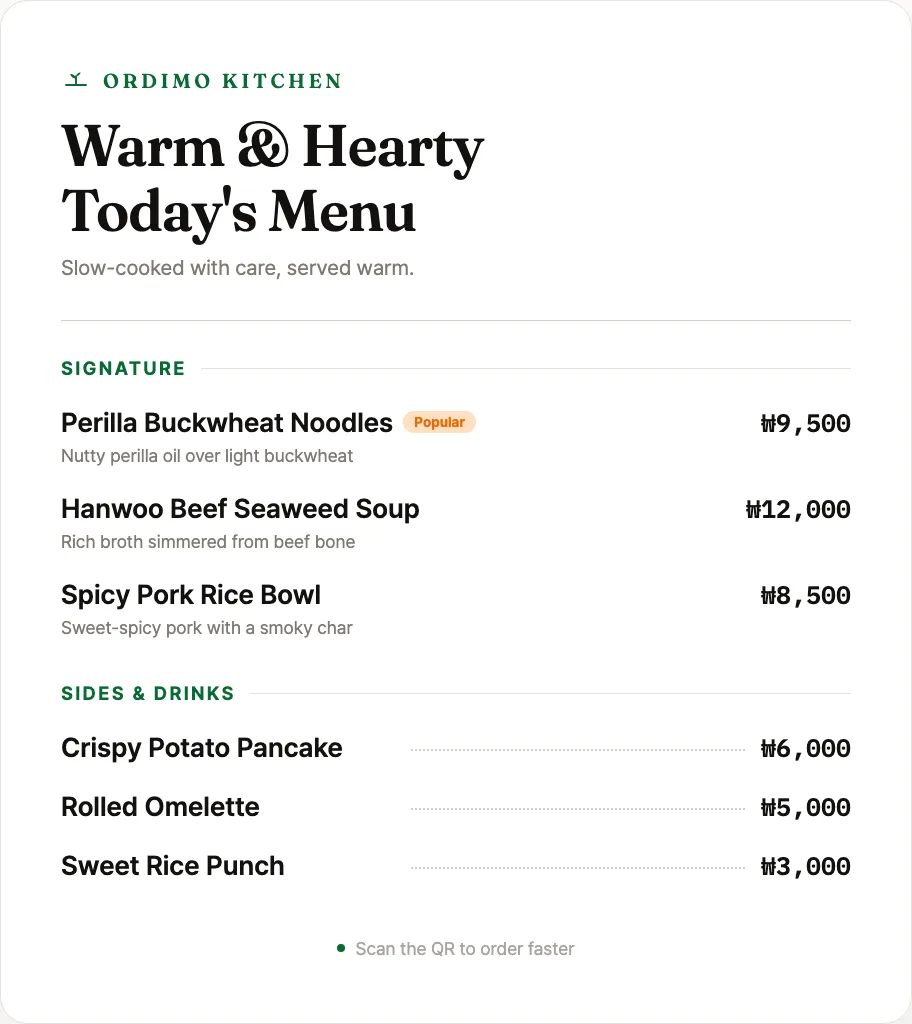
Digital menu
Photos, options, and prices at a glance. Sold-out and price changes apply instantly.
Just upload a photo of your paper menu. Guests view it via QR — no app to install.
Just one QR code, no install · No card required
Snap a photo of your paper menu and upload it — that is all. Guests scan your store QR and swipe and pinch-zoom through the menu. No ordering, no install — you can start today.
Upload up to 10 photos of your menu.
A QR code just for your store is created instantly.
They scan, then swipe and pinch-zoom through the menu.
Start here. You choose the next step, when it fits your store.
Scan with your phone camera to open the sample menu your guests see.
Open the sample menuStart with stage 1, the free QR menu. The rest stay locked until your store is ready, then open one step at a time.
Upload photos and guests view the menu by QR.
Guests call staff or ask for help with a tap.
Still locked
Take requests without payment; you confirm each one.
Still locked
Open full QR ordering whenever you’re ready.
Still locked
No complex setup — start with a single QR code and grow one step at a time, to fit your store.
Just stick the QR code on the table and you are ready. No app install, no extra hardware.
Guests scan the QR, browse the menu with photos, and request an order or call staff.
You review each request and confirm it. Nothing is auto-accepted, so you run at your own pace.
On top of your photo menu: a trusted screen, multilingual support, and sales insights.
Photos, options, and prices at a glance. Sold-out and price changes apply instantly.
The first screen shows your store name, table, and official address, so guests feel safe using it.
International guests can browse the menu in a language they know.
See your popular items and sales by time of day, backed by data.
Show your menu for free
Your first paid plan
Ordimo is a QR menu and table-ordering platform that starts with the menu and grows, step by step, into staff calls and order requests. Upload your existing menu images for free and get them ready for guests to view by QR.
Email is our main communication channel. After you apply, we’ll review your store context and follow up with beta details.
It’s totally fine that our site isn’t finished yet. Right now we’re focused on learning how real owners run their menus and what they need from QR ordering.
After signing up, one QR code is all it takes to start with your menu. Add staff calls and order requests one step at a time, when you need them.
Start for free